- Check if you have "Minify JavaScript Files" enabled. You can check this from your WordPress Dashboard > Settings > WP Rocket > File Optimization > JavaScript Files.
- If that setting is enabled, add widgets.boast.io to the Excluded Javascript Files list.
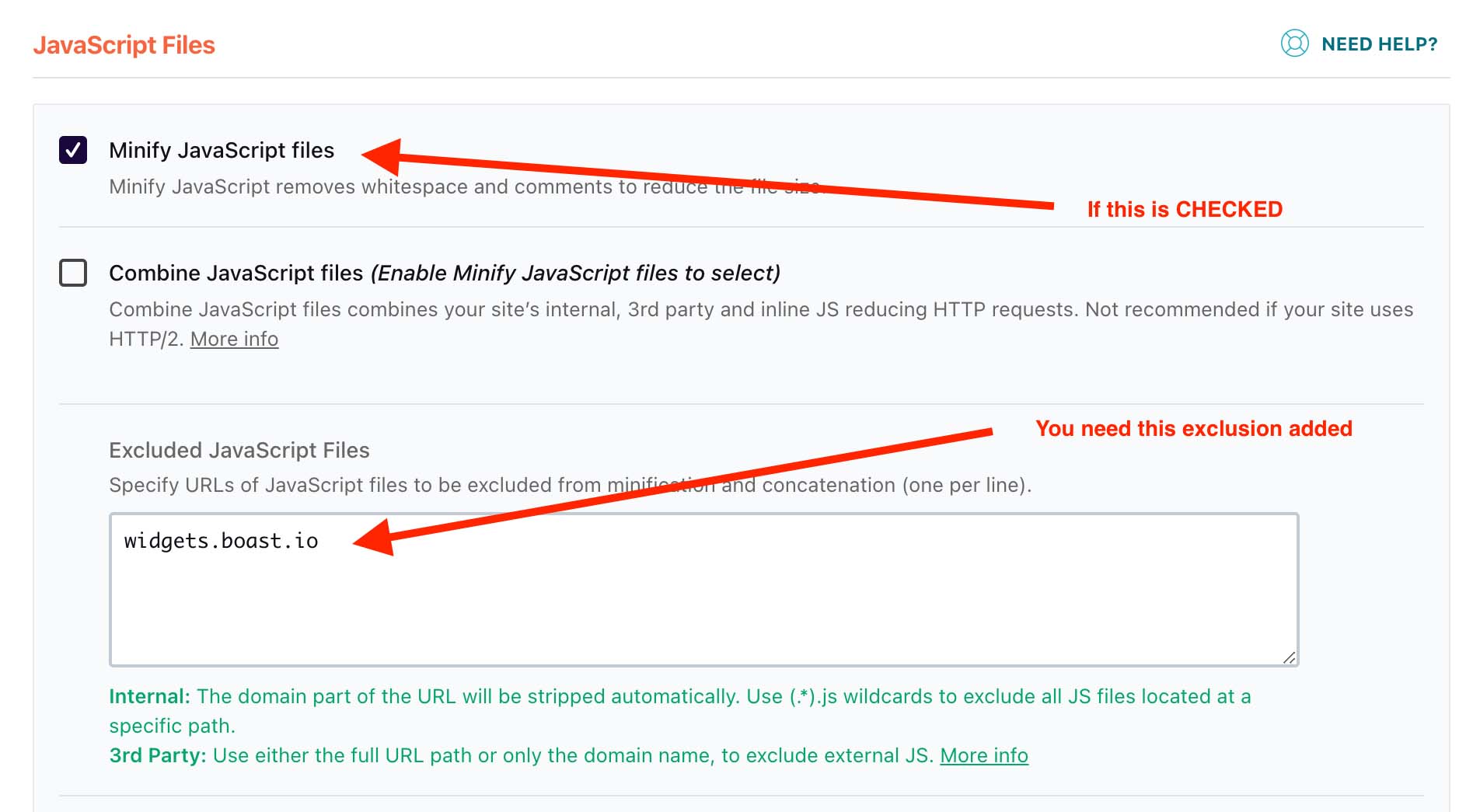
- Save your changes and clear your website cache (in the black admin bar at the top of your website, select WP Rocket > Clear Cache).
English
![boat-logo-dark-blue.png]](https://support.boast.io/hs-fs/hubfs/boat-logo-dark-blue.png?height=32&name=boat-logo-dark-blue.png)